
Document Setup Menu
This menu provides access to each of the options required to define a document. There are options to save the document, modify your view of the document and add data objects (e.g., textbox) to the document layout.

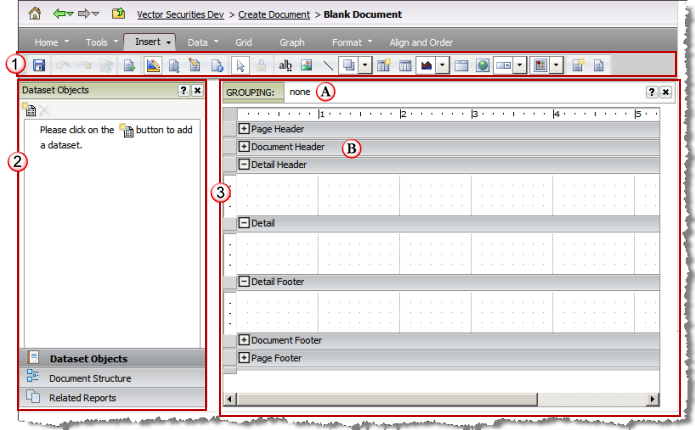

Document Editor
This panel provides access view and define the datasets linked to the document, display the structure of the document in a tree view and review related reports that are in the same folder as the document.

Document Layout Panel
This panel provides access to view each layout defined for the document. A document may have one or more layouts.
Each layout has its own:
 Data Grouping setup
 Content Sections
The content sections in the example (e.g., Page, Document and Detail headers and footers) are available in a document template. A dashboard template employs a slightly different layout paradigm as it has content sections.